Hytale

Descripción
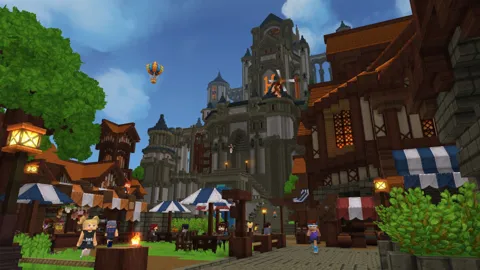
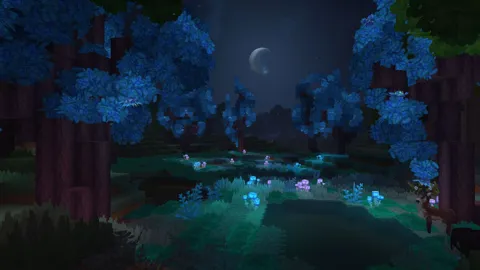
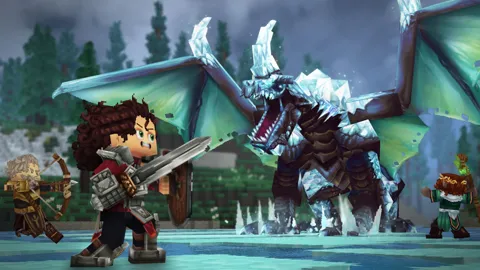
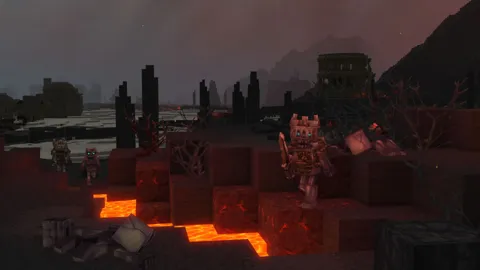
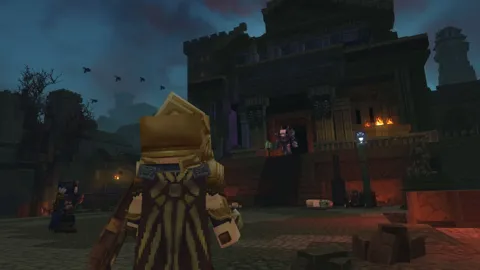
Embark on a journey of adventure and creativity. Hytale combines the scope of a sandbox with the depth of a roleplaying game, immersing players in a procedurally generated world where teetering towers and deep dungeons promise rich rewards. Hytale supports everything from block-by-block construction to scripting and minigame creation, delivered using easy to use and powerful tools.
Tráiler
Capturas de Pantalla

Requisitos del Sistema
Mínimos
Requisitos Mínimos (1080p a 30 FPS)
SO: Windows 10 (64-bit v.1809) o Windows 11.
CPU: Intel Core i5-7500 o AMD Ryzen 3 1200 (o equivalentes).
RAM: 8 GB (con GPU dedicada) o 12 GB (con integrada).
GPU (Integrada): Intel UHD Graphics 620 / AMD Radeon Vega 3.
GPU (Dedicada): NVIDIA GTX Serie 900 / AMD Radeon Serie 400 / Intel Arc Serie A.
Almacenamiento: SSD con 20 GB libres
Recomendados
Requisitos Mínimos (1080p a 30 FPS)
SO: Windows 10 (64-bit v.1809) o Windows 11.
CPU: Intel Core i5-7500 o AMD Ryzen 3 1200 (o equivalentes).
RAM: 8 GB (con GPU dedicada) o 12 GB (con integrada).
GPU (Integrada): Intel UHD Graphics 620 / AMD Radeon Vega 3.
GPU (Dedicada): NVIDIA GTX Serie 900 / AMD Radeon Serie 400 / Intel Arc Serie A.
Almacenamiento: SSD con 20 GB libres
Instrucciones de Instalación
Descomprimir carpetas RAR
Ejecutar el juego como Administrador desde «Launcher.bat»
Jugar 🙂
PARA JUGAR ONLINE LAN
Descargar y descomprimir el fix online
Copiar el contenido del FIX y pegarlo en su juego
Debe usar un programa LAN o una red LAN local, puede usar HAMACHI o RADMIN VPN
Iniciar hamachi o radmin vpn crear una sala y unirse a la misma IP usted y sus amigos
Ejecutar el juego desde HytaleLauncher.exe.
Jugar 🙂
Enlaces de Descarga
Fix Online Lan
Agradecimientos:


